

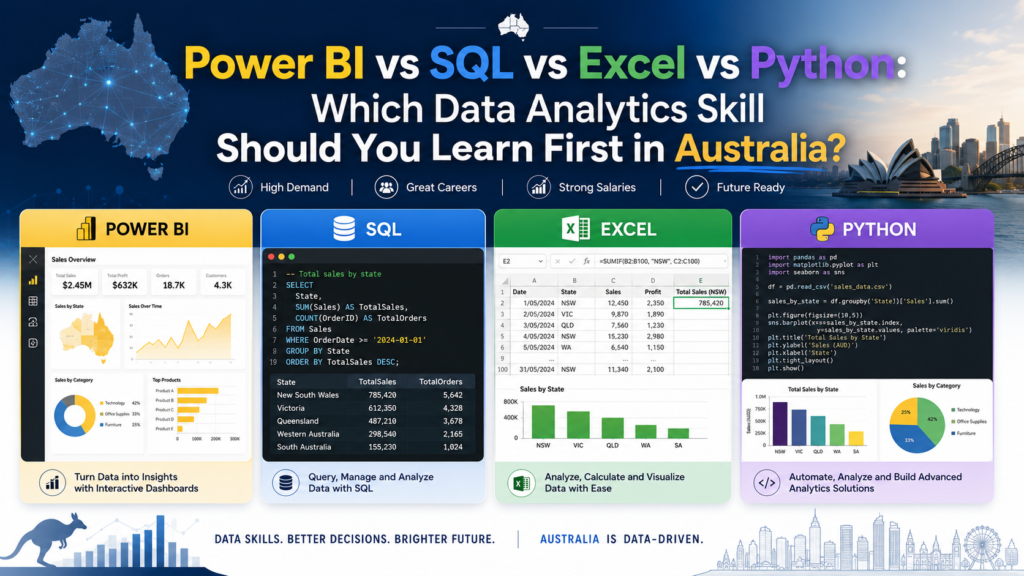
Starting a data analytics course in Australia and not sure whether to begin with Excel, SQL, Power BI, or Python? Each tool plays a genuinely different role in a data analyst’s daily work, and the order you learn them in matters more than most beginners expect. This guide breaks down what each skill actually does, which one to start with, and where to train online or across Melbourne and Sydney.
Why Data Analytics Skills Matter in Australia
Data analyst roles continue to grow steadily across Australian banking, government, retail, and healthcare employers. A scan of data analyst job listings on Seek shows Excel, SQL, and Power BI referenced constantly across job ads, with Python increasingly requested for more advanced or automation-heavy analyst positions. Building the right skills in the right order gets you job-ready efficiently, rather than spreading yourself thin across all four tools at once.
Quick Comparison: Excel vs SQL vs Power BI vs Python
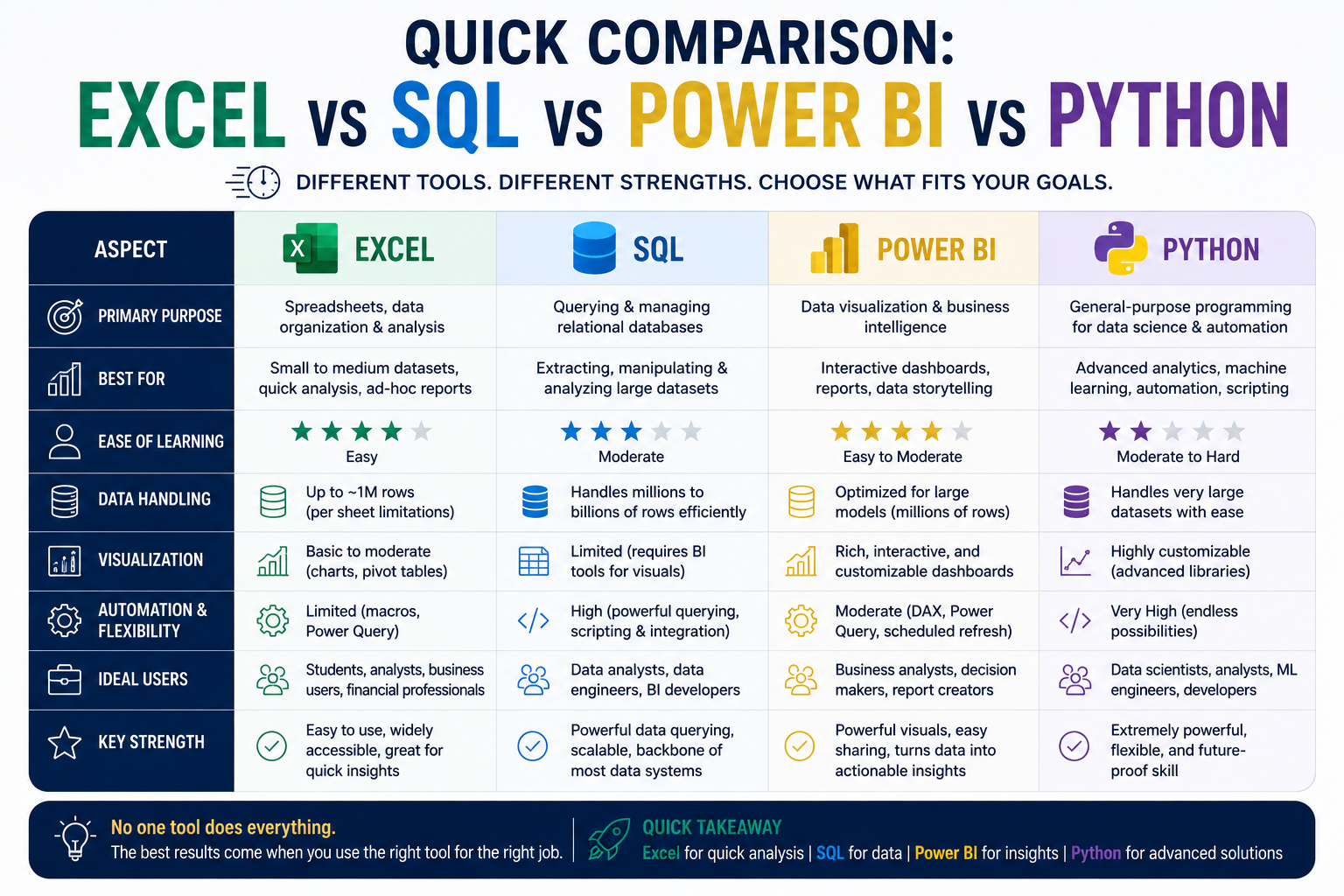
| Skill | What It Does | Best For | Difficulty |
| Excel | Spreadsheet analysis, formulas, PivotTables | Beginners, general reporting | Easiest |
| SQL | Querying and pulling data from databases | Working with large, structured datasets | Moderate |
| Power BI | Building interactive dashboards and reports | Reporting and business intelligence roles | Moderate |
| Python | Automation, advanced statistics, machine learning | Advanced analytics and automation | Hardest |
Start with Excel If You Are New to Data Analytics
Excel is the natural starting point for anyone new to data analytics. It builds foundational logic around rows, columns, formulas, and PivotTables that carries directly across into SQL and Power BI later. If you can’t yet build a confident SUMIFS formula or a basic PivotTable, this is where to begin.
Learn SQL If You Want to Work with Databases
SQL becomes essential once you’re working with data that lives in databases rather than spreadsheets — customer records, transaction logs, inventory systems. It teaches you how to pull, filter, and join large datasets directly at the source, which Excel simply can’t do at scale.
Learn Power BI If You Want to Build Dashboards and Reports
Power BI turns cleaned, structured data into interactive, decision-ready dashboards. Microsoft’s own Power BI documentation highlights how it connects directly to SQL databases and Excel files alike, making it the natural next step once you’re comfortable pulling and cleaning data with the other two tools.
Learn Python If You Want Automation and Advanced Analytics
Python is the most advanced skill on this list, used for automating repetitive data tasks, running statistical analysis beyond what Excel or Power BI can handle, and building the foundations for machine learning. It’s genuinely valuable, but rarely the right starting point most analysts pick it up after Excel, SQL, and Power BI are solid.
Which Data Analytics Skill Should You Learn First?
Excel first, in almost all cases. It’s the most accessible entry point, and the logic you build there structured thinking about rows, columns, and formulas makes SQL and Power BI noticeably easier to pick up afterward. Skipping straight to SQL or Python without Excel foundations tends to slow beginners down rather than speed them up.
Recommended Data Analytics Learning Pathway for Beginners
- Step 1: Excel — build formula logic, PivotTables, and data cleaning fundamentals
- Step 2: SQL — learn to query and pull data directly from databases
- Step 3: Power BI — turn that data into interactive dashboards and reports
- Step 4: Python — add automation and advanced analytics once the fundamentals are solid
For a deeper dive into step two specifically, our guide to SQL for data analysts in Australia covers exactly what beginners need to learn first, and our PL-300 Power BI certification guide is a useful next step once you’re ready for step three.
Best Data Analytics Course Based on Your Career Goal
- General office and reporting roles: Excel is often enough on its own
- Data analyst roles: Excel, SQL, and Power BI together cover most job requirements
- Business intelligence and reporting-focused roles: Power BI, paired with SQL
- Advanced analytics or data science-adjacent roles: add Python once the core three are solid
Online vs In-Person Data Analytics Training in Australia
Online data analytics training in Australia offers the flexibility to study around a full-time job and covers the same practical skills as in-person courses. In-person training adds direct instructor access, which can suit learners who prefer structured classroom accountability. Both formats work well provided the course includes hands-on exercises with real, messy datasets rather than passive video content alone.
Data Analytics Training Locations in Australia
Excel, SQL, and Power BI training is available live online Australia-wide, with local scheduling and support across Melbourne and Sydney — Australia’s two largest data analyst job markets, spanning banking, healthcare, retail, and government employers.
Frequently Asked Questions
Should I learn Excel before SQL?
Yes. Excel builds foundational data logic that makes SQL noticeably easier to learn afterward.
Is Power BI harder than Excel?
Not necessarily harder, but different — Power BI assumes some comfort with data structure that Excel helps build first.
Do I need Python for a data analyst job in Australia?
Not always. Many data analyst roles are well covered by Excel, SQL, and Power BI alone; Python becomes more relevant for advanced or automation-focused positions.
What’s the best data analytics course for beginners?
A course that starts with Excel fundamentals before progressing to SQL and Power BI, rather than jumping straight into advanced tools.
Can I learn all four skills at once?
It’s possible but not recommended for beginners — learning them in sequence (Excel, then SQL, then Power BI, then Python) tends to build stronger, more lasting skills.
Final Recommendation
- Choose Excel first if you are new to data analytics.
- Choose SQL next if you need to work with large, structured databases.
- Choose Power BI if your role involves building dashboards and reports.
- Choose Python once the other three are solid and you want automation or advanced analytics skills.
Ready to build job-ready data analytics skills?
Explore our Excel, SQL, and Power BI courses, available online and across major Australian cities.