


Trying to work out which Power BI course should I choose? It comes down to where you’re starting from and what your role actually needs from Power BI. This guide breaks down exactly what Fundamentals, Intermediate, and Advanced Power BI courses cover in Australia, who each level suits, and which path fits beginners, Excel users, data analysts, and business professionals whether you’re training online or looking for options in Melbourne, Sydney, Brisbane, Adelaide, Canberra, or Perth.
Why Choosing the Right Power BI Course Matters
Power BI has become the default reporting tool across Australian banking, government, healthcare, and retail organisations, and Power BI job listings on Seek span everything from junior reporting roles through to senior BI developer positions. Jumping straight into an advanced course without the fundamentals in place tends to slow learners down rather than speed them up, while an experienced Excel user starting at Fundamentals may find the pace too slow. Matching the course level to your actual starting point and role gets you job-ready efficiently.
What Is Power BI Fundamentals?
Power BI Fundamentals is the entry-level course covering the core building blocks connecting to data, cleaning it, and building your first simple dashboard. It assumes no prior Power BI experience and is designed to get you comfortable with the interface and basic workflow.
Who Should Take Power BI Fundamentals?
Fundamentals suits complete beginners, Excel users making their first move into Power BI, and business professionals who want basic self-service reporting skills without needing to become a dedicated BI specialist.
What You Learn in Power BI Fundamentals
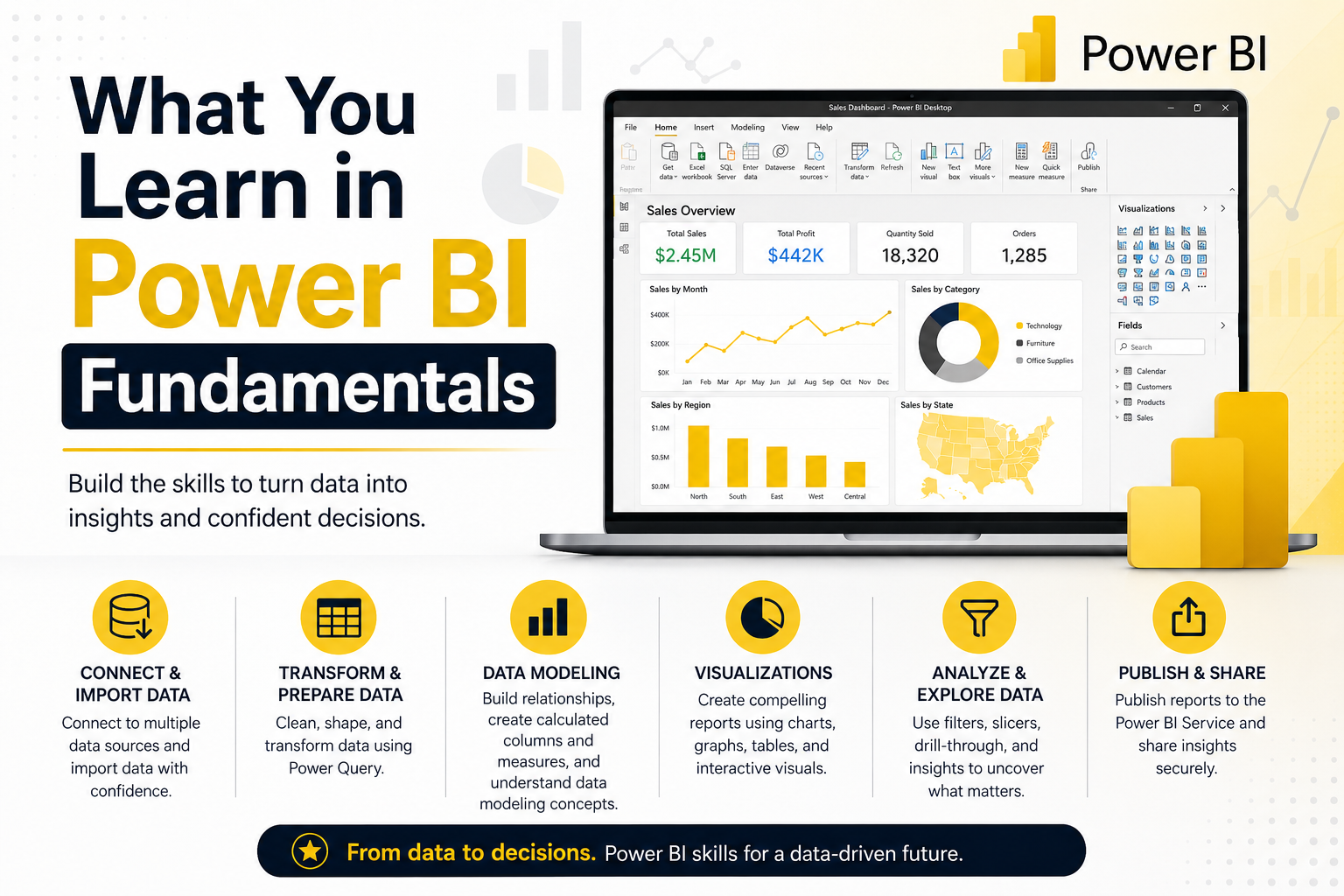
Connecting to Data Sources
Importing data from Excel files, databases, and other common sources into Power BI.
Cleaning Data with Power Query
Basic data cleaning and shaping removing duplicates, fixing formats, and merging simple data sources.
Building Your First Dashboard
Assembling a simple, functional dashboard from cleaned data, covering the core report-building workflow.
Creating Basic Charts and Visuals
Choosing appropriate chart types and building clear, easy-to-read visuals for common reporting scenarios.
Sharing Reports with Confidence
Publishing and sharing a finished report through the Power BI service so others can view and interact with it.
What Is Power BI Intermediate?
Power BI Intermediate builds on Fundamentals with DAX formulas, proper data modelling, and interactive report features like drill-through and row-level security — the level most working data analysts and reporting professionals need.
Who Should Take Power BI Intermediate?
Intermediate suits learners who’ve completed Fundamentals or already have basic Power BI experience, and are ready to build genuinely useful, secure, and interactive reports for their organisation.
What You Learn in Power BI Intermediate
DAX Formulas and Measures
Writing DAX calculations to summarise and analyse data dynamically, rather than relying on static values.
Data Modelling Basics
Structuring relationships between tables correctly so reports stay accurate and perform well as data grows.
Drill-Through Reports
Building reports that let users click through from a summary view into detailed underlying data.
Row-Level Security
Controlling what data different users can see within the same shared report.
Report Interactivity
Adding filters, slicers, and bookmarks so users can explore the data themselves rather than viewing a static report.
What Is Power BI Advanced?
Power BI Advanced covers complex DAX, enterprise-scale data modelling, and performance optimisation the skill set expected of Power BI Developers and senior BI analysts working on large, business-critical reporting systems.
Who Should Take Power BI Advanced?
Advanced suits experienced Power BI users, data analysts preparing for senior or developer-level roles, and anyone responsible for enterprise-scale dashboards used across a large organisation.
What You Learn in Power BI Advanced
Advanced DAX
Complex DAX patterns including CALCULATE with multiple filter contexts, going well beyond basic measures.
Time Intelligence
Building year-over-year, rolling average, and period-comparison calculations using DAX time intelligence functions.
Enterprise Data Models
Designing large-scale, well-optimised data models that support multiple reports and business units.
Dashboard Optimisation
Improving report load times and performance for large datasets, a core skill for enterprise BI environments.
Python and R Visuals
Embedding Python or R visuals into Power BI for advanced statistical analysis beyond native chart types.
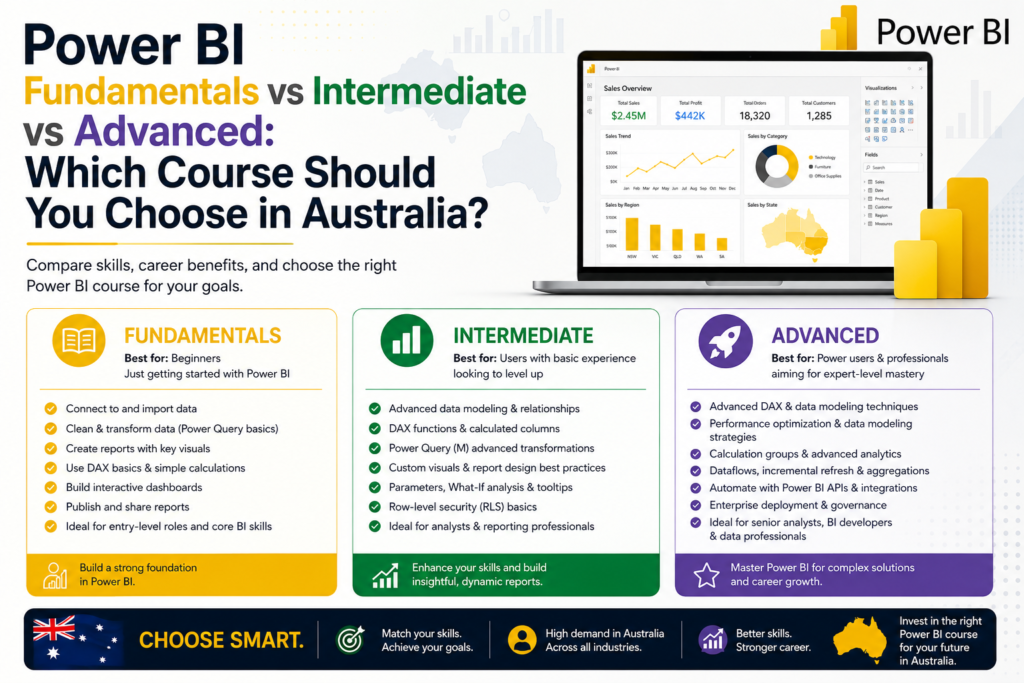
Power BI Fundamentals vs Intermediate vs Advanced: Key Differences
- Fundamentals: connecting to data, basic cleaning, simple dashboards and sharing
- Intermediate: DAX measures, data modelling, drill-through, row-level security
- Advanced: complex DAX, enterprise data models, performance optimisation, Python/R visuals
- Each level builds directly on the one before it — most learners progress through all three over time
Which Power BI Course Is Best for Beginners?
Power BI Fundamentals is the right starting point for anyone new to the tool, regardless of prior technical background.
Which Power BI Course Is Best for Excel Users?
Excel users can often move through Fundamentals quickly given the overlap in formula logic, and may be ready for Intermediate sooner than complete beginners, particularly if they’re already confident with PivotTables.
Which Power BI Course Is Best for Data Analysts?
Data analysts generally need at least Intermediate, and often Advanced, given how heavily analyst roles rely on DAX and proper data modelling. If you’re also working toward PL-300 certification, Intermediate-level skills align closely with the exam’s core requirements.
Which Power BI Course Is Best for Managers and Business Users?
Managers and business users are typically well served by Fundamentals, or Intermediate if they need to interpret drill-through reports and row-level security without necessarily building complex reports themselves.
Which Power BI Course Is Best for Reporting Analysts?
Reporting analysts usually need Intermediate-level skills — DAX measures and data modelling cover the vast majority of recurring reporting work.
Which Power BI Course Is Best for Career Changers?
Career changers should start with Fundamentals and progress through Intermediate before applying for data analyst or BI roles, since most job ads expect at least Intermediate-level DAX and modelling skills.
Do You Need Excel Before Learning Power BI?
Not strictly, but it helps. Excel experience — particularly with formulas and PivotTables — makes Power BI’s data modelling and DAX concepts noticeably easier to grasp.
Do You Need SQL Before Learning Power BI?
Not for Fundamentals or Intermediate, but SQL becomes valuable at the Advanced level, since Power BI can connect directly to SQL databases and understanding query logic helps with complex data modelling.
How Long Does It Take to Learn Power BI?
Most learners complete Fundamentals within two to three weeks of part-time study, Intermediate within four to six weeks, and Advanced within six to ten weeks, depending on prior experience and how much hands-on practice they build in alongside the course material.
Power BI Course Options in Australia
Whichever level you’re ready for, training is available both online and with local support across Australia’s major cities.
Power BI Course in Melbourne
Melbourne’s broad, cross-industry employer base makes all three Power BI course levels relevant, from Fundamentals for career changers through to Advanced for enterprise BI roles.
Power BI Course in Sydney
Sydney’s concentration of banking and financial services employers drives strong demand for Intermediate and Advanced Power BI skills specifically.
Power BI Course in Brisbane
Brisbane’s growing government and infrastructure sector increasingly values Intermediate-level Power BI skills for reporting and BI analyst roles.
Power BI Course in Adelaide
Adelaide’s defence and health sectors favour Intermediate and Advanced Power BI training, reflecting the governed, compliance-aware nature of reporting in these industries.
Power BI Course in Canberra
Canberra’s federal government roles frequently require Intermediate-to-Advanced Power BI skills for large-scale, secure reporting environments.
Power BI Course in Perth
Perth’s resources sector values Advanced Power BI skills for building large, optimised dashboards tracking operational and cost data at scale.
Live Online Power BI Course
Live online Power BI training offers the same structured curriculum as in-person courses with real-time instructor access, letting learners anywhere in Australia study flexibly without sacrificing direct support.
FAQs About Choosing a Power BI Course
Which Power BI course should I start with?
Power BI Fundamentals is the right starting point for anyone new to the tool, regardless of technical background.
Is Power BI Fundamentals enough for work?
For basic self-service reporting and simple dashboards, yes. Most data analyst and BI-focused roles expect at least Intermediate-level skills.
When should I take Intermediate Power BI?
Once you’re comfortable building basic dashboards and ready to add DAX measures, proper data modelling, and report interactivity to your skill set.
Is Advanced Power BI hard?
It’s genuinely challenging, particularly complex DAX and enterprise data modelling, but very achievable once Fundamentals and Intermediate skills are solid.
Can Power BI help me get a data analyst job?
Yes, particularly when paired with SQL and Excel skills and backed by a portfolio of real projects rather than the course alone.
Should I learn Power BI before Microsoft Fabric?
Yes. Power BI’s data modelling and reporting fundamentals make Microsoft Fabric significantly easier to learn once you’re ready to go deeper into enterprise data platforms.
Choose the Right Power BI Course and Start Learning
Working out which Power BI course level suits you doesn’t need to be complicated — match the course to your actual job requirements and progress from Fundamentals through to Advanced as your role demands more. If you’re also considering PL-300 certification alongside your training, Intermediate-level skills line up closely with what the exam expects.
Not sure which Power BI course is right for you?
Compare Power BI Fundamentals, Intermediate and Advanced training options and speak with our team to choose the best learning path for your role.