
Microsoft Fabric for Data Analysts is one of the most important shifts in the Microsoft data ecosystem heading into 2027. Fabric brings data storage, data engineering, data science and Power BI reporting into a single unified platform, which changes how analysts are expected to work across the full data lifecycle rather than just the reporting layer. For professionals in Sydney, Melbourne, Brisbane, Perth, Adelaide and Canberra, understanding Fabric is quickly becoming a practical extension of existing Power BI and data analytics skills.
What Is Microsoft Fabric for Data Analysts?
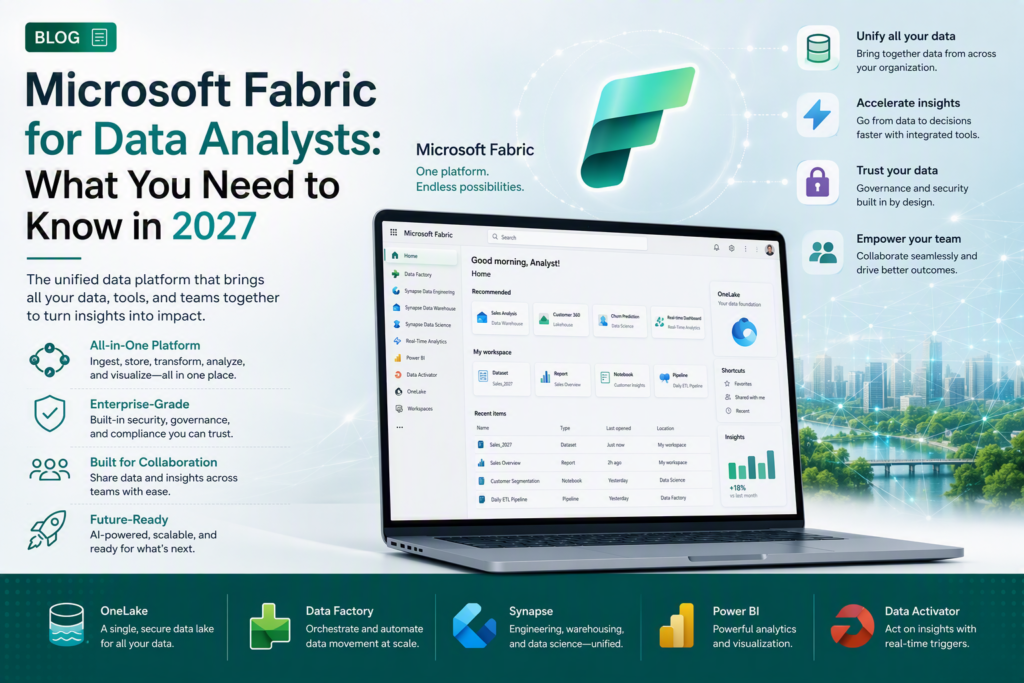
Microsoft Fabric is a unified software-as-a-service analytics platform that brings together data integration, data engineering, data warehousing, data science, real-time analytics and Power BI into one workspace, built on a single storage layer called OneLake. For data analysts, this means the reports built in Power BI can sit directly on top of governed data stored and prepared within the same Fabric environment, rather than depending on separate tools stitched together.
According to Microsoft’s official Fabric documentation, Fabric is designed to remove the traditional handoffs between data engineers, data scientists and BI analysts by giving every role access to the same underlying data through one platform.
Why Microsoft Fabric for Data Analysts Matters in 2027
As more Australian organisations migrate to Fabric, data analysts are being asked to understand more of the pipeline than before not just building Power BI reports, but understanding where the data comes from and how it is prepared.
- OneLake — a single, organisation-wide data lake that all Fabric workloads read from and write to
- Lakehouse — combines data lake flexibility with data warehouse structure for analytics
- Data Factory (in Fabric) — built-in pipelines for ingesting and transforming data
- Power BI (in Fabric) — the reporting and visualisation layer, now natively connected to Fabric data
- Real-Time Intelligence — for streaming and event-based data scenarios
For a working data analyst, this means Power BI skills remain central, but they now sit inside a much larger, connected platform.
Key Fabric Concepts Every Data Analyst Should Know
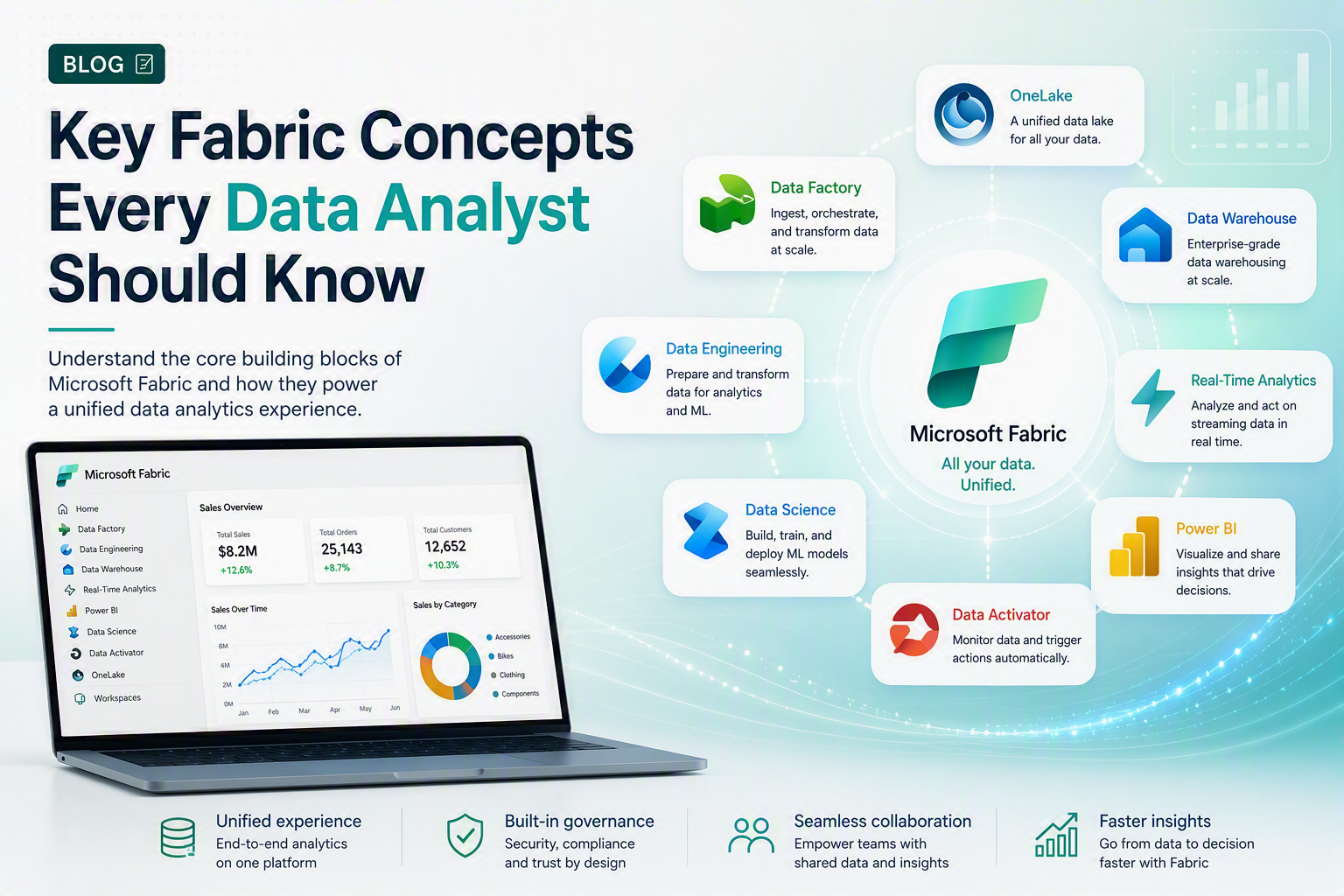
1. OneLake as the single source of truth
Instead of data being duplicated across separate storage systems, Fabric stores it once in OneLake, and every workload from Power BI to data science notebooks reads from that same copy.
2. Lakehouses and Warehouses
Analysts should understand the difference between a Fabric Lakehouse (flexible, file-based) and a Fabric Warehouse (structured, SQL-based) since report performance and data modelling decisions depend on which is used.
3. Direct Lake mode in Power BI
Fabric introduces Direct Lake, a new Power BI connectivity mode that queries data directly from OneLake without a full import or traditional DirectQuery, which can significantly improve performance on large datasets.
4. Fabric capacity and licensing
Fabric runs on capacity-based licensing (F-SKUs), which analysts should understand at a basic level when troubleshooting performance or planning report deployment with IT teams.
Benefits for Australian Businesses Adopting Microsoft Fabric
Microsoft Fabric adoption is growing across Australian organisations as businesses look to simplify their data estate and reduce the number of separate tools their teams need to manage.
- Sydney — financial services teams consolidating reporting and data engineering into one Fabric environment
- Melbourne — retail and logistics businesses using Fabric pipelines to unify sales and inventory data
- Brisbane — resources and government-adjacent teams simplifying data governance under one platform
- Perth — mining and energy companies connecting operational data sources into OneLake for centralised reporting
- Adelaide — health and manufacturing teams piloting Fabric to reduce reporting turnaround time
- Canberra — government departments evaluating Fabric within strict data-governance and security frameworks
Analyst firm Gartner has named unified analytics platforms as a leading trend shaping enterprise data strategy, reflecting the same direction Microsoft Fabric represents for organisations consolidating their data stack.
Microsoft Fabric vs Traditional Power BI / Azure Setup
A common question from Power BI professionals is whether Fabric replaces the skills they already have. It does not Fabric extends the platform those skills sit on.
| Task | Traditional Power BI / Azure Setup | Microsoft Fabric |
| Data storage | Separate data warehouse and lake services | Unified OneLake storage across all workloads |
| Data pipelines | Configured across multiple separate tools | Built-in Data Factory-style pipelines in one workspace |
| Reporting layer | Power BI connected to external sources | Power BI natively integrated with Fabric datasets |
| Licensing | Separate licences for BI, storage and compute | Single Fabric capacity (F-SKU) covers most workloads |
| Skill barrier for analysts | Requires cross-tool expertise | Lower barrier with a unified interface, though core data skills still matter |
Power BI remains the reporting layer inside Fabric, so existing DAX, data modelling and report-design skills carry over directly. What changes is the surrounding environment analysts now work within.
How This Is Changing Data Analyst Careers in Australia
As Microsoft Fabric for Data Analysts becomes standard across Australian data teams, employers are increasingly looking for candidates who understand Fabric concepts alongside core analytics skills. This builds on the broader roadmap covered in our Data Analyst career path guide and Data Analyst salary breakdown for 2026.
For analysts wanting to strengthen the reporting layer specifically, our Power BI training course and Azure certification training both cover foundational skills that connect directly into a Fabric environment.
Getting Started With Microsoft Fabric
If you’re preparing for Microsoft Fabric for Data Analysts roles, the fastest way in is to be confident in core data analytics first: Power BI, DAX, data modelling and basic data engineering concepts. Logitrain’s data analytics course is delivered by certified trainers across Australia, with options for learners in Sydney, Melbourne, Brisbane, Perth, Adelaide and Canberra, either in person or live online.
For teams building out the full Microsoft data stack, Logitrain’s full course catalogue at logitrain.com.au covers the complementary Azure and Power BI skills that support a Fabric-based analytics environment.
Frequently Asked Questions
Is Microsoft Fabric free to use?
Microsoft Fabric offers a free trial capacity for evaluation, but production use requires a paid Fabric capacity (F-SKU) or an existing Power BI Premium capacity pricing details are confirmed directly through Microsoft.
Does Microsoft Fabric replace Power BI?
No. Power BI is built into Microsoft Fabric as its reporting and visualisation layer, so Power BI skills remain directly relevant Fabric extends what a data analyst can do around that layer.
Do I need to learn Fabric if I already know Power BI?
Not immediately, but Fabric adoption is growing across Australian organisations, so analysts who add Fabric concepts OneLake, Lakehouses, Data Factory pipelines to existing Power BI skills are better positioned for 2027 roles.
Is Microsoft Fabric available in Australia?
Yes. Microsoft Fabric is available to Australian organisations through Azure regions and Microsoft 365 tenants, with adoption growing across workplaces in Sydney, Melbourne, Brisbane, Perth, Adelaide and Canberra.
What skills should a data analyst learn for Microsoft Fabric in 2027?
Core skills include Power BI report building, DAX, data modelling, and an understanding of Fabric-specific concepts such as OneLake, Lakehouses, Data Factory pipelines and Fabric capacity management.
Conclusion
Microsoft Fabric for Data Analysts is quickly becoming part of the standard toolkit for Australian data professionals. Analysts who pair existing Power BI and data modelling skills with an understanding of OneLake, Lakehouses and Fabric pipelines are best placed to benefit from this shift heading into 2027.